My 1B tokens/day OpenAI Symphony setup
I have been getting some good mileage out of Symphony recently, and particularly like the Linear-only interface. Some friends asked me for how I set it up, and figured I’d share publicly.

TLDR: I have set up the Elixir Symphony implementation on my Zo Computer so that it runs 24/7. I had GLM-5.1 create a better dashboard to monitor it (gotta let the open models have some fun too!), and added a couple more Linear statuses for working with the model.
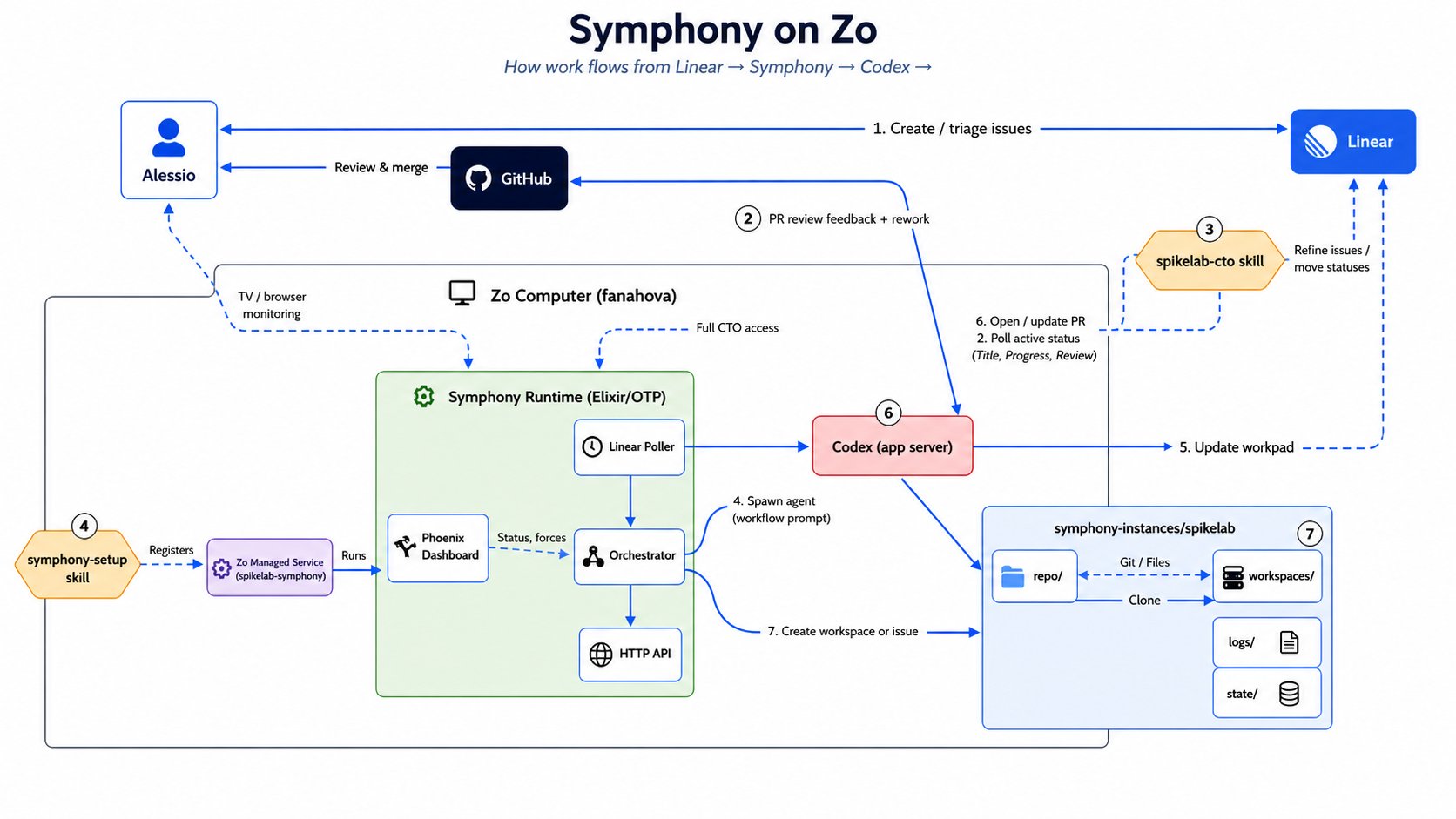
Designed by Opus, prettified by ChatGPT Images 2.
I’ll break down each part:
Workspace setup + SKILLS.md
If you are not familiar with Zo Computer, you can think of it as a personal agent + personal cloud. It runs on a 32GB RAM, 4 core machine. It’s great to let these loops run 24/7.
I created two skills, a symphony-setup and a project-cto one to manage Linear and the tasks roadmap. Now whenever I want to setup a new project with Symphony, I can just text Zo the repo URL and ask it to. The CTO skill will then setup the Linear project, labels, etc and keep track of issues moving through it. This skill then lets me text Zo and ask for updates and make changes.
There is a single Symphony daemon on the machine, which manages many projects with this structure:
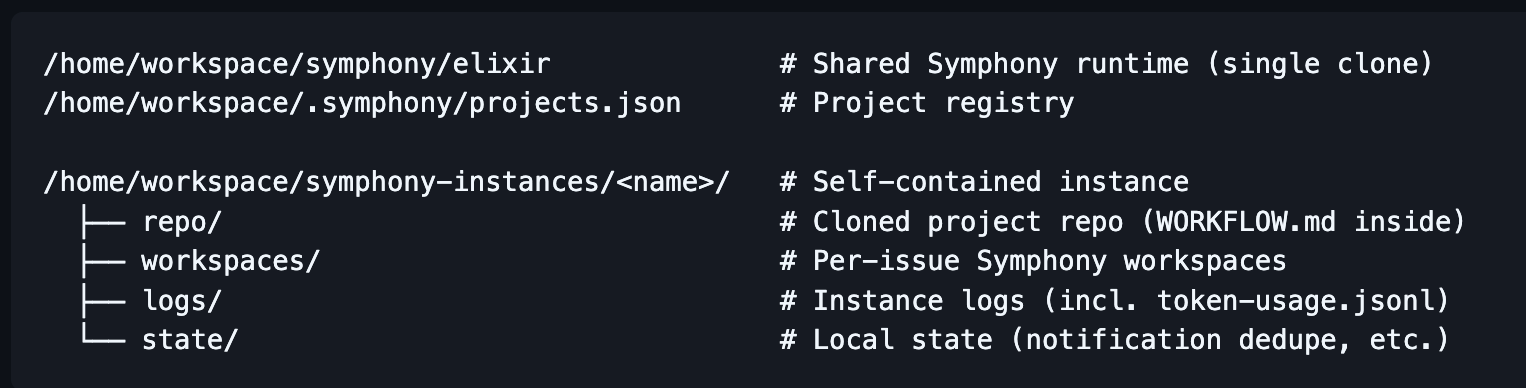
/home/workspace/symphony/elixir              # Shared Symphony runtime (single clone)
/home/workspace/.symphony/projects.json      # Project registry

/home/workspace/symphony-instances/<name>/   # Self-contained instance
  repo/                                      # Cloned project repo (WORKFLOW.md inside)
  workspaces/                                # Per-issue Symphony workspaces
  logs/                                      # Instance logs (incl. token-usage.jsonl)
  state/                                     # Local state (notification dedupe, etc.)
Linear flow
In Linear there is a project which Symphony polls from. I have created specific statuses (which are listed in the WORKFLOW.md in the project) to guide the workflow:
- Backlog is self-explanatory. Symphony does NOT have access to these. Only me and the CTO skill can move them.
- Todo is what Symphony polls on to start a new task.
- In Progress shows you what is being worked on; these tasks are pulled from our internal dashboard to show live traces from the Codex instances.
- Human Review gets used once Symphony opens a PR. I can leave inline comments there or on the Linear task if I have feedback.
- From here it goes to either the Rework status, or to Merging, which then puts it in a merge queue.
- Done is the final status.
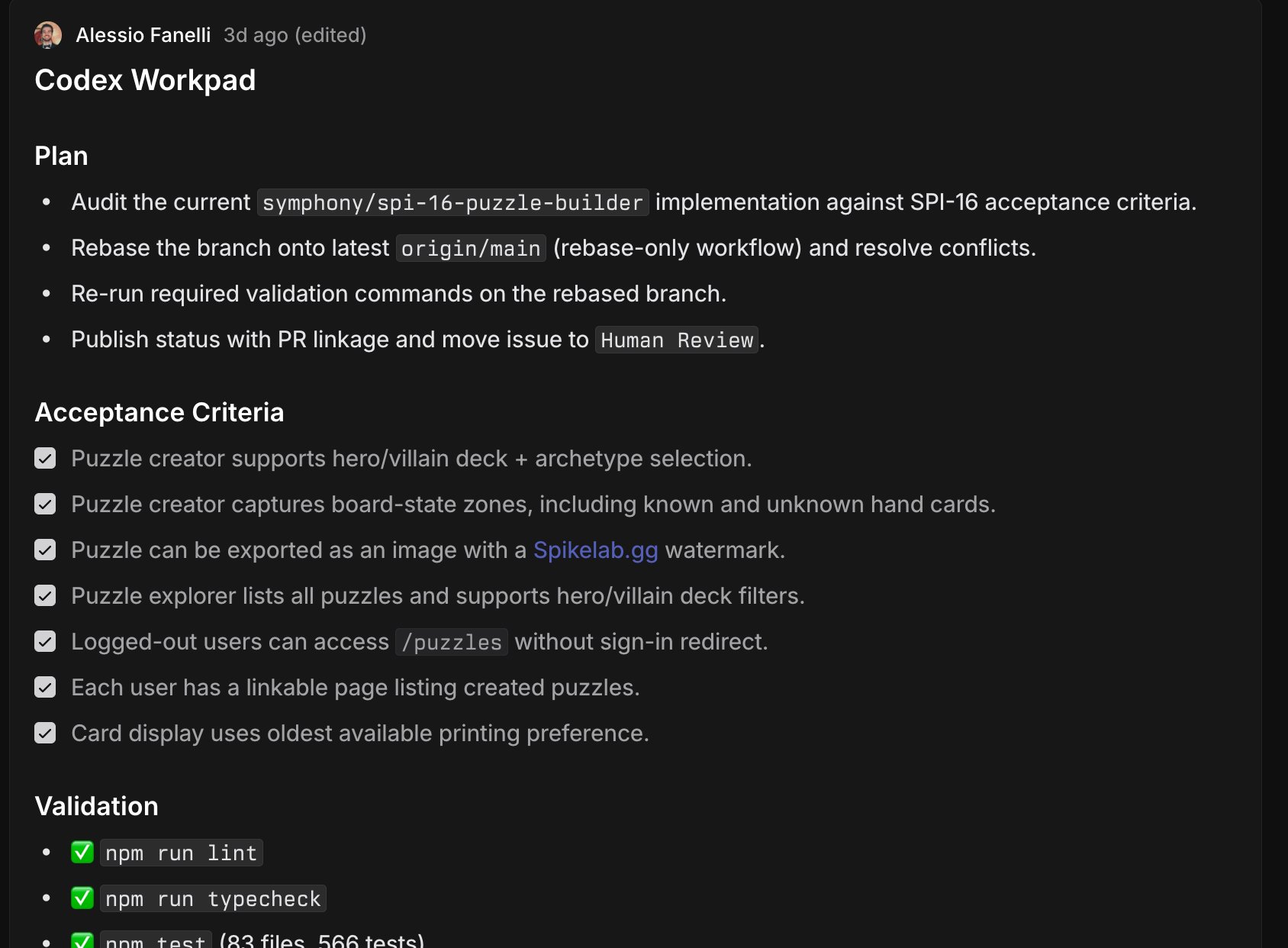
Codex has a Workpad comment in each Linear issue which you can use to track its progress.
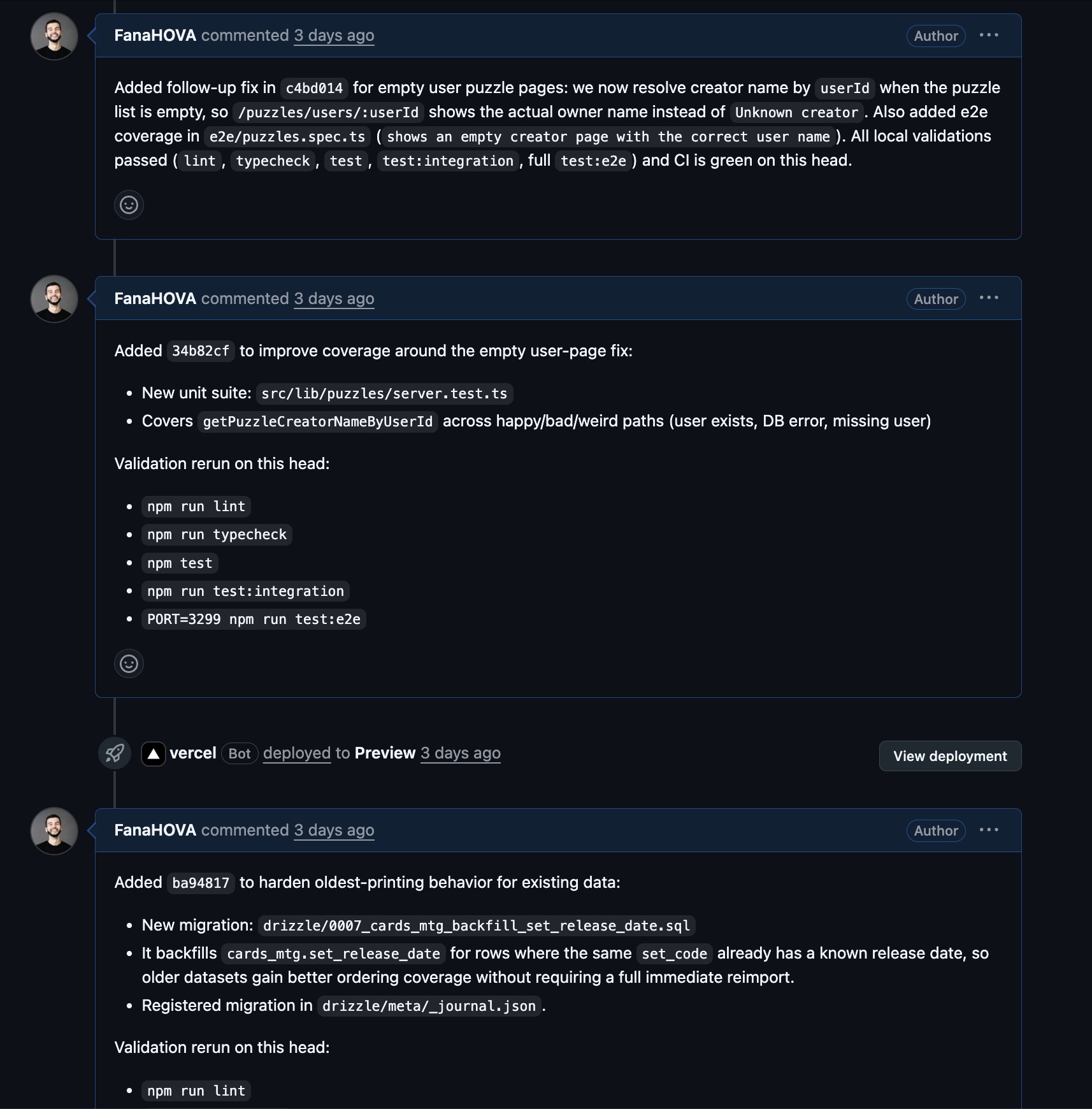
It also adds a PR comment for every commit, which lets you follow it play by play.
Tokens dashboard
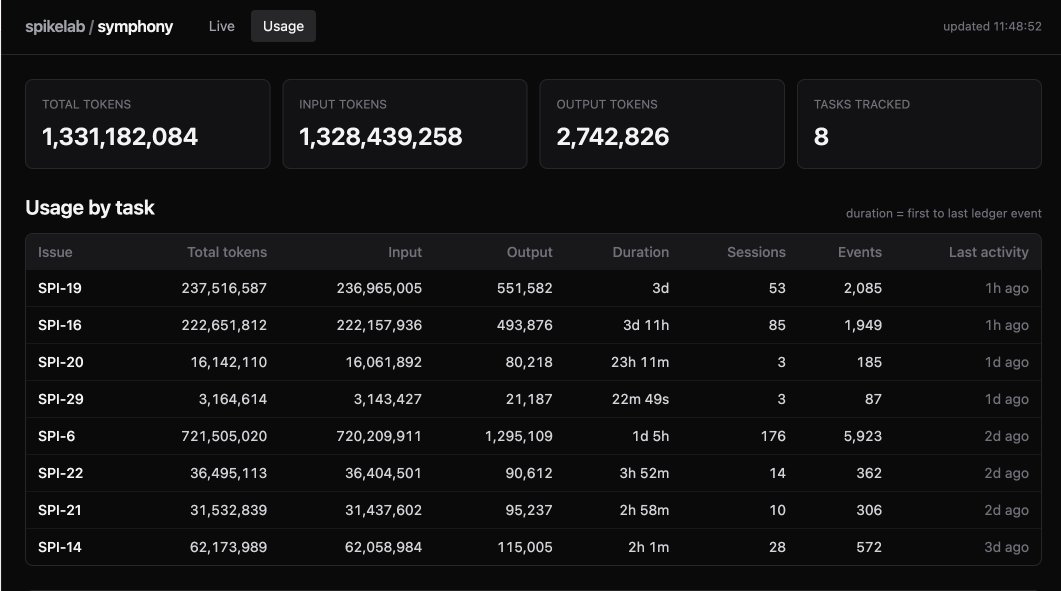
I have asked Qwen and GLM-5.1 (shoutout Wafer.ai) to build a custom dashboard to monitor usage per task, which is also hosted on Zo.
One of the things we are building towards at Kernel Labs is the ability to price software creation, and having token usage per task is really helpful to both benchmark different models, as well as measuring impact of better tooling and instructions.
That’s it :) If this is the type of stuff that gets you excited and are building in this space, we have a Grants program, or just come to one of our events at Kernel!
Originally posted as an X article.